
By Boise Marketing Masters

🏗️ Technical SEO Made Simple: Boost Your Website Speed & Crawlability
Introduction: The Foundation of Online Visibility
Most business owners think of SEO as keywords, backlinks, and blog posts — and while those are important, there’s another side to search engine optimization that quietly determines whether you even show up in Google’s results.
That side is Technical SEO.
Think of your website as a high-performance sports car. You can have the best paint job (beautiful design), the best tires (great content), and the best marketing (ads and social media). But if the engine isn’t tuned properly, it won’t perform — no matter how good it looks.
Technical SEO is that engine. It’s what makes your website fast, accessible, crawlable, and structured so search engines can find, read, and rank your pages correctly.
At Boise Marketing Masters, we’ve seen countless websites with great design and strong content fail to rank — all because of poor technical foundations. In this guide, we’ll break down everything you need to know about technical SEO, website speed optimization, and crawlability — in plain English.
By the end, you’ll know exactly how to make your website not just beautiful, but blazing fast and search-engine friendly.
What Is Technical SEO (Explained Simply)
Technical SEO refers to all the behind-the-scenes optimizations that help search engines find, crawl, index, and understand your website.
It doesn’t focus on keywords or content — instead, it ensures your site is built in a way that Google’s bots can access efficiently and users can navigate smoothly.
In short:
Content tells Google what your website is about.
Technical SEO helps Google find and trust it.
The core goals of technical SEO are:
- Improve website speed
- Ensure mobile responsiveness
- Make pages easy for crawlers to index
- Secure your site with HTTPS
- Fix broken links and redirects
- Optimize site architecture and internal linking
Why Website Speed & Crawlability Matter
In 2025, speed is no longer optional — it’s a ranking factor and a user expectation.
According to Google:
- Pages that load within 1 second convert 3x higher than those that take 5 seconds.
- A 1-second delay in load time can cause a 20% drop in conversions.
That means even the best marketing strategy can fail if your website loads too slowly.
Speed impacts:
- SEO Rankings: Google prioritizes fast-loading pages.
- Bounce Rate: Users leave if pages take too long.
- Conversions: Faster websites create smoother buying journeys.
Crawlability impacts:
Crawlability determines whether Google can read your pages.
If Googlebot can’t crawl your site efficiently — due to broken links, complex code, or blocked pages — your content may never appear in search results.
A strong technical SEO foundation ensures Google’s crawlers can navigate and index your site quickly, improving overall visibility.
Core Components of Technical SEO
There are six major areas of technical SEO that every business should understand and optimize:
- Website Speed Optimization
How fast your site loads and responds to user actions. - Crawlability & Indexability
How easily search engines access and include your pages in their index. - Mobile-Friendliness
Ensuring your site looks and works perfectly on phones and tablets. - Secure Protocols (HTTPS)
Using SSL certificates for data protection and ranking trust. - Site Architecture & URL Structure
Organizing your website so both users and crawlers can navigate easily. - Technical Errors & Maintenance
Fixing broken links, redirect loops, duplicate pages, and crawl errors.
Each one plays a vital role in determining your organic traffic, search rankings, and conversion rate.
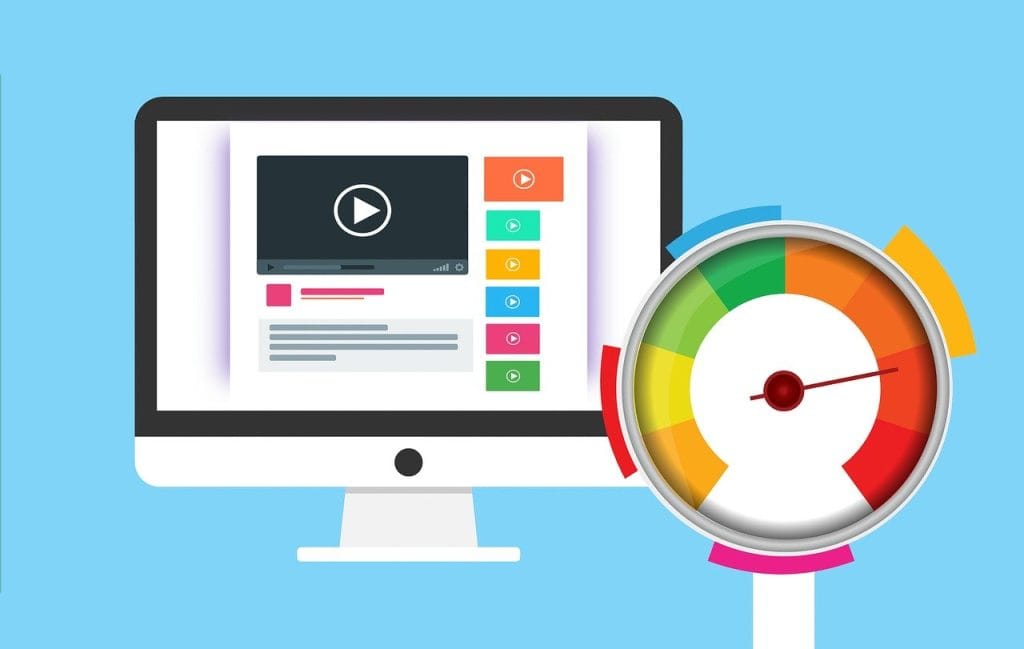
⚡ Part 2: Website Speed Optimization — The Core of Technical SEO
When it comes to technical SEO, nothing impacts performance quite like website speed. It’s not just about convenience — it’s about rankings, conversions, and revenue.
At Boise Marketing Masters, we’ve seen firsthand how even a half-second improvement in load time can raise conversion rates by 10–20%. Fast websites signal to both Google and your visitors that you’re credible, professional, and trustworthy.
🚀 Why Speed Matters
Website speed affects three critical areas:
- Search Rankings
Google has made site speed (and Core Web Vitals) an official ranking factor. Slow websites are deprioritized because they deliver poor user experiences. - User Experience
Studies show that if a site takes more than 3 seconds to load, over 50% of visitors leave. That’s a huge loss in potential customers. - Conversions
Speed equals profit. The faster your site loads, the smoother your customer journey — and the more likely they’ll convert.
Quick Stats:
- 1-second delay = -11% in page views
- 1-second delay = -7% in conversions
- 3-second delay = 40% of visitors bounce
🧩 Step-by-Step Website Speed Optimization
Let’s simplify what goes into making your site faster.
1. Optimize Images the Smart Way
Images are one of the biggest culprits behind slow websites. Large, uncompressed files can drastically increase load time.
Here’s how to fix it:
- Use next-gen formats: Convert images to WebP or AVIF.
- Compress without losing quality: Tools like TinyPNG, Squoosh, or ShortPixel work great.
- Lazy load images: Only load images when they come into the user’s viewport.
- Use responsive image sizes: Avoid serving huge desktop-sized images to mobile users.
💡 Pro Tip from Boise Marketing Masters: Always test image compression on your homepage — it’s the most visited and most resource-heavy page on your site.
2. Minify and Combine CSS, JS, and HTML
Every line of unnecessary code slows your website.
Minification removes spaces, comments, and redundant characters. Combination merges multiple files into fewer requests.
- Use Autoptimize or WP Rocket (for WordPress)
- Or online tools like MinifyCode.com
- Always test after minifying to ensure design or scripts don’t break
This single step can cut your load time by up to 30–40%.
3. Leverage Browser Caching
Caching stores website data on a visitor’s browser so returning users don’t have to re-download everything.
- Set caching rules with plugins like W3 Total Cache or WP Super Cache
- Use CDNs (Content Delivery Networks) such as Cloudflare or Bunny.net to cache globally
- Configure server caching if your host supports it
💡 Tip: Aim for at least 30-day cache expiration on static assets.
4. Optimize Server Response Time (TTFB)
TTFB (Time to First Byte) measures how fast your server delivers the first byte of data to a browser.
Slow hosting = high TTFB = poor SEO.
How to fix it:
- Choose high-performance hosting (like SiteGround, Kinsta, or WP Engine)
- Use LiteSpeed or NGINX servers instead of Apache
- Upgrade to PHP 8+
- Implement object caching and database optimization
Boise Marketing Masters often recommends Cloudflare Enterprise CDN + LiteSpeed hosting for clients who need extreme speed and uptime reliability.
5. Reduce HTTP Requests
Every file your site loads (images, CSS, JS, fonts) is a request — fewer requests mean faster loading.
- Limit external scripts (like unnecessary widgets or tracking codes)
- Use system fonts instead of Google Fonts when possible
- Merge CSS and JS files where safe
- Avoid excessive plugins
6. Implement Lazy Loading for Media and Videos
Lazy loading delays the loading of off-screen images or videos until a user scrolls near them.
In WordPress, this can be done using:
- Built-in lazy loading (WordPress 5.5+)
- Plugins like a3 Lazy Load or WP Rocket Lazy Load
It’s one of the simplest ways to dramatically improve speed, especially for long, image-heavy pages.
7. Use a Content Delivery Network (CDN)
A CDN distributes your website files across multiple servers around the world. When users visit your site, the data is delivered from the nearest location — reducing latency.
Benefits:
- Faster global access
- Better uptime
- Extra layer of security (DDoS protection)
Popular CDNs:
- Cloudflare (free & paid plans)
- Bunny.net
- Amazon CloudFront
8. Optimize for Core Web Vitals
Google’s Core Web Vitals measure real-world user experience and are key ranking factors:
- LCP (Largest Contentful Paint): Should be under 2.5s
- FID (First Input Delay): Should be under 100ms
- CLS (Cumulative Layout Shift): Should be under 0.1
To optimize these:
- Use lazy loading for large content
- Optimize your fonts and CSS delivery
- Avoid layout shifts (set fixed dimensions for images and videos)
- Monitor with Google PageSpeed Insights or Lighthouse
9. Optimize Your Database
Your website database stores everything — posts, settings, logs, and revisions. Over time, it becomes bloated.
How to clean it up:
- Use WP-Optimize or Advanced Database Cleaner
- Delete post revisions and spam comments
- Remove unused plugins and themes
A clean database = faster queries and better performance.
10. Test, Measure, and Monitor
Optimization isn’t one-and-done — it’s ongoing.
Top tools to track your speed include:
- Google PageSpeed Insights – Core Web Vitals & diagnostics
- GTmetrix – Detailed waterfall analysis
- Pingdom Tools – Quick speed overview
- WebPageTest.org – Deep performance testing
Boise Marketing Masters uses a blend of these tools to benchmark speed before and after optimization, providing measurable improvements in both user experience and SEO rankings.
⚙️ Real-World Example
A national e-commerce client partnered with Boise Marketing Masters to reduce site load time. After applying these optimizations:
| Metric | Before | After |
|---|---|---|
| Page Load Time | 6.8s | 1.9s |
| Core Web Vitals Pass Rate | 48% | 97% |
| Bounce Rate | 68% | 34% |
| Organic Traffic (3 months) | +42% |
These results prove that site speed isn’t just technical — it’s profitable.
Crawlability & Indexability Optimization
If Google can’t crawl or index your pages, your SEO efforts — no matter how advanced — won’t matter. Crawlability and indexability are the invisible highways connecting your content to search engines.
At Boise Marketing Masters, we often say:
“If Google can’t find it, it doesn’t exist.”
Let’s break down how to ensure your website is fully crawlable, indexable, and search-engine-friendly.
1. What Is Crawlability?
Crawlability refers to how easily search engine bots (like Googlebot) can access and navigate your website.
If there are barriers — broken links, incorrect robots.txt rules, or infinite loops — bots will fail to explore your pages fully.
Think of it like this:
Googlebot is a visitor walking through your website. Every dead end, blocked door, or confusing path means one less page discovered.
2. What Is Indexability?
Indexability is the next step — once a crawler reaches a page, it decides whether to store and rank that content in Google’s index.
A page can be crawlable but not indexable. For example, if you accidentally set a noindex tag or canonicalize incorrectly, the page won’t appear in search results.
3. Crawlability Optimization Checklist
Here’s how Boise Marketing Masters ensures websites are fully crawlable:
✅ A. Create a Clean, Hierarchical Site Structure
A clear site architecture helps both users and search engines.
Every page should be reachable within three clicks from the homepage.
Use logical parent-child relationships:
- Home → Services → Service Page → Sub-Service Page
✅ B. Optimize Internal Linking
Internal links help distribute PageRank and guide bots to important pages.
- Link related articles or services contextually.
- Use descriptive anchor text (“SEO audit services” instead of “click here”).
- Avoid deep links buried in old content.
✅ C. Check Your Robots.txt File
Robots.txt tells crawlers which pages or directories they can and cannot visit.
- Avoid accidentally disallowing critical folders (like
/blog/or/services/). - Test your file in Google Search Console → Settings → Robots.txt Tester.
- Example of a correct setup:
User-agent: * Disallow: /wp-admin/ Allow: /wp-admin/admin-ajax.php Sitemap: https://yourdomain.com/sitemap.xml
✅ D. Fix Broken Links & Redirect Chains
Broken internal links create crawl dead ends, while redirect loops waste crawl budget.
Use Screaming Frog or Ahrefs Site Audit to find and fix them regularly.
✅ E. Avoid Orphan Pages
Orphan pages are URLs with no internal links pointing to them — meaning crawlers may never find them.
Fix this by linking to them from relevant pages or adding them to your XML sitemap.
4. Indexability Optimization Checklist
Once crawlability is fixed, focus on getting your pages indexed efficiently.
✅ A. Submit an XML Sitemap
Your sitemap is your roadmap for Google. It lists every important page you want indexed.
- Generate one via Yoast SEO, Rank Math, or Screaming Frog.
- Submit it through Google Search Console → Sitemaps.
✅ B. Inspect URLs in Google Search Console
The URL Inspection Tool lets you check if a page is indexed and why it might not be.
Look out for:
- “Crawled – currently not indexed” (Google found it but didn’t add it)
- “Discovered – currently not indexed” (Google knows it exists but hasn’t crawled yet)
✅ C. Use Canonical Tags Correctly
Canonical tags (<link rel="canonical" href="URL">) tell Google which version of a page to prioritize.
Misusing them can deindex important content.
Use canonical tags only for duplicate or similar pages, not for every page on your site.
✅ D. Avoid Noindex Tags on Key Pages
A single noindex meta tag can remove your page from Google search results.
Double-check your templates, plugins, or CMS settings — especially in WordPress.
✅ E. Manage URL Parameters
Parameters like ?utm_source= or ?ref= can create duplicate content.
Tell Google how to handle them using the URL Parameters Tool in Search Console or canonicalization.
✅ F. Build Quality Backlinks
While backlinks are often discussed for ranking, they also help with indexing.
When Google discovers links to your page from other indexed sites, it crawls them faster.
✅ G. Optimize for Crawl Budget (For Large Sites)
Crawl budget = the number of pages Googlebot will crawl per visit.
For large eCommerce or content-heavy websites:
- Block low-value pages (like archives or tags).
- Combine similar content.
- Prioritize high-traffic URLs.
5. Monitoring Crawl & Index Performance
Once your crawlability and indexability are optimized, monitor progress continuously.
Use these tools:
- Google Search Console → Coverage Report: Shows indexed, excluded, and error pages.
- Screaming Frog / Sitebulb: Simulate crawl behavior locally.
- Ahrefs / SEMrush: Track which URLs are appearing in Google’s index.
6. Crawlability & Indexability in Action (Case Example)
When Boise Marketing Masters optimized a nationwide client’s eCommerce site:
- We fixed over 400 broken internal links,
- Consolidated 120 duplicate product pages,
- And resubmitted optimized sitemaps to Google.
Within 45 days, their indexed pages increased by 38%, and organic traffic rose by 52% — proving that crawl optimization isn’t just technical maintenance — it’s directly tied to business results.